
Updated 1/2026
Launching a new project online is exciting. One of the first big questions every beginner faces is how to choose hosting. Hosting is the service that stores your site’s files on servers so anyone in the world can reach it through a browser. Picking the right plan and company can save time, money, and headaches later.
Along with hosting, you need a domain for website. That’s the digital address people type to visit your pages. A strong name makes your brand look professional and memorable. Both elements work together — without one, the other doesn’t shine. If you’re completely new to the process, it helps to learn how to create a website from scratch before choosing providers and tools.
This guide explains each step clearly. It covers domain levels, compares hosting for site providers, and gives expert tips for beginners. You’ll see how to connect your domain, what features to look for in a plan, and finally understand which hosting to choose in 2026. At the end of this guide, you’ll also find a downloadable checklist to keep every step organized.

What Is a Domain and How to Register One
A domain for site is your unique place on the internet. Think of it like a street address for a house. Visitors can’t find you without it. Registration is quick, but choosing the right name requires thought.
Understanding domain structure
Every domain follows a hierarchy known as domain levels. At the top are extensions such as .com, .net, or .org. The second-level is the main word you choose, like “mybrand” in mybrand.com. Subdomains create sections, such as blog.mybrand.com. Recognizing these parts helps you avoid confusion when your site grows.
Familiar top-level domains like .com boost user trust in websites. (2022, Verisign).
Steps to register
- Use a registrar like Namecheap, GoDaddy, or Google Domains.
Choose a trusted registrar with a long history and clear policies. Reliable registrars offer secure payment systems, transparent pricing, and easy domain management tools. Some also include extras like free WHOIS privacy to hide personal contact details. - Search for available names and avoid ones with hyphens.
Type your idea into the registrar’s search box. If the exact match is taken, you’ll usually see suggestions. Avoid names with numbers or hyphens because they confuse visitors and are harder to remember when spoken aloud. - Stick to short, easy-to-type words.
Aim for one or two words that flow naturally. Long or complex spellings increase typing errors and lower memorability. Test the name out loud — if you have to repeat it twice, it’s probably not ideal. - Check social media handles for consistency.
Make sure the same name is available on major platforms like Twitter, Instagram, or YouTube. Consistency strengthens your brand across the web and prevents others from impersonating your business. - Buy for several years to protect ownership.
Domains expire if you don’t renew. Registering for three to five years upfront lowers the chance of losing your domain for website unexpectedly. Many experts also believe multi-year registration can slightly improve SEO trust signals.
A domain for website usually costs $10–$30 per year. Premium options may run higher. The small investment pays off in branding and trust.
Practical notes
Many people ask if they can skip registration and just use free subdomains. It works, but it looks unprofessional. A personal domain for site builds credibility in search engines and among users. Another question is whether new trendy endings like .app or .tech are safe. They are, but .com still carries the most authority.
Secure a domain early to protect your brand identity before launching content.
Bottom line: registering the right domain early creates a strong foundation. Learn how domain levels work, choose carefully, and your brand will stand out.

How to Choose Reliable Hosting: Features and Price
Picking a provider can feel overwhelming. Ads promise unlimited storage, lightning speed, and free extras. The truth is simpler: focus on performance, reliability, and support.
Core factors to check
When beginners ask how to choose hosting, experts highlight these elements:
- Speed – servers with SSD storage load faster.
- Uptime – anything below 99.9% means risk of downtime.
- Support – live chat or phone 24/7 is crucial.
- Scalability – the ability to upgrade smoothly when traffic grows.
A one-second delay in page load time can reduce conversions by up to 7%. (2025, WIRO Agency).
“The .com TLD remains the gold standard for online presence, with consistent growth in registrations reflecting strong user preference and trust.” Said by: D. James Bidzos, Executive Chairman, President, and CEO of Verisign (global domain registry operator for .com and .net, over 30 years in internet infrastructure leadership).
Pricing varies widely. Shared plans start at around $2–$5 per month. VPS options cost $20–$80. Dedicated servers and premium cloud plans run higher. Anyone wondering which hosting to choose should balance current needs with long-term growth.
Types of hosting explained
- Shared hosting – cheapest option, resources split with many sites.
- VPS hosting – more power and control without full server cost.
- Dedicated hosting – one server reserved just for you.
- Cloud hosting – flexible and scalable, pay for what you use.
For most beginners, shared or entry-level VPS is enough. More advanced users researching hosting for site may prefer cloud solutions for flexibility.
To get a visual overview of hosting types and tips for beginners, check out this quick video guide on selecting the right web hosting.
Step-by-step instruction: evaluating a hosting plan
Before deciding, walk through a structured check process:
- List your website goals and expected monthly visitors.
- Check provider reviews on uptime guarantees.
- Compare storage type (SSD vs HDD).
- Look for automatic backup features.
- Verify support channels — live chat, email, phone.
- Study renewal prices, not just promo rates.
- Ensure security tools like SSL and firewall are included.
Following these steps helps anyone understand how to choose hosting without second-guessing later.
In today’s digital landscape, prioritizing security is non-negotiable. Look for hosts offering advanced features like AI-driven threat detection, which can block up to 99.98% of attacks, as seen with tools like SShield. Also, ensure automatic malware scanning and DDoS protection are included to safeguard your data from evolving cyber risks.
Practical tips
- Don’t fall for “free hosting” offers. They limit features and hurt SEO.
- Always compare renewal prices, not just intro discounts.
- Make sure backups are automatic and accessible.
Always check renewal pricing — it often doubles or triples after the first year.
Takeaway: when you understand how to choose hosting, you avoid flashy marketing tricks and focus on reliability, performance, and value.
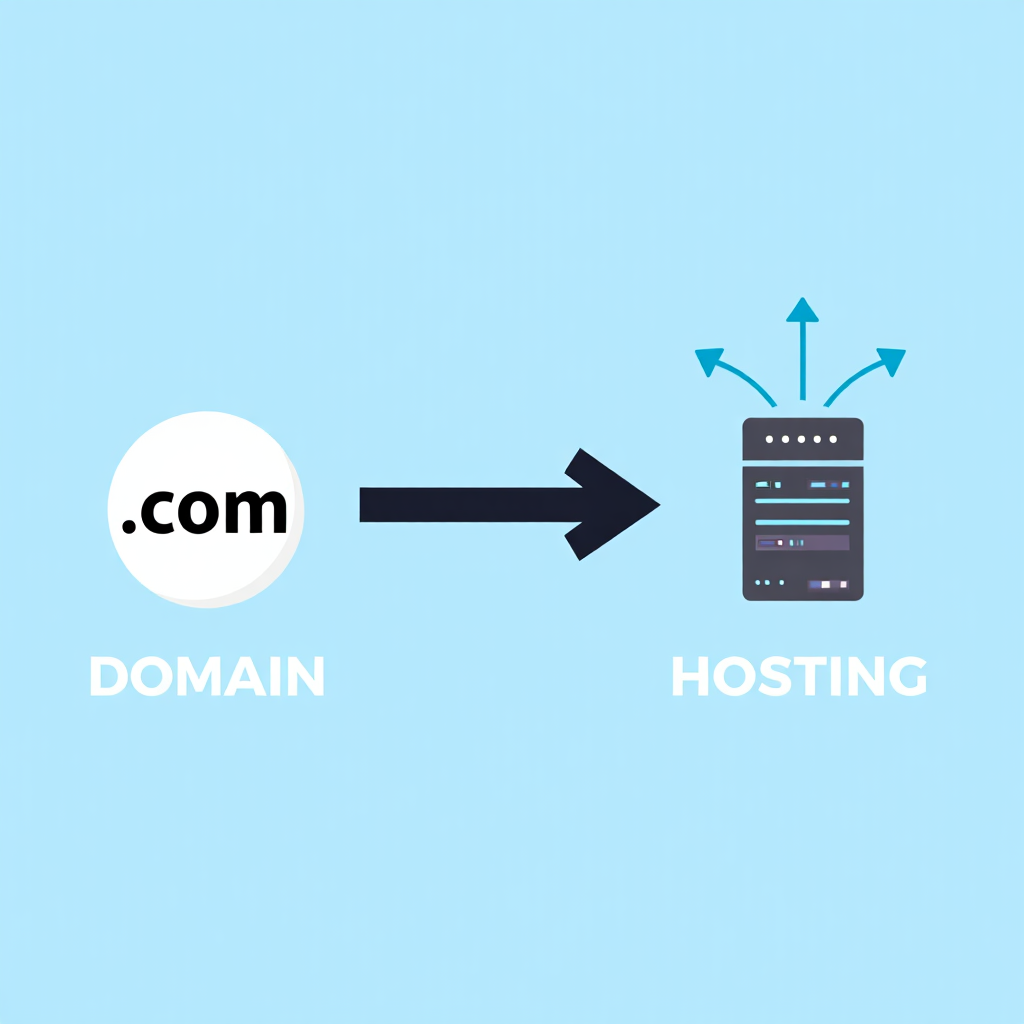
How to Connect Domain and Hosting
Owning both doesn’t mean your site is live. You need to link them correctly so browsers know where to go. Once the connection is set up, you’re ready to actually create a website — whether using a builder, CMS, or custom code.
Why linking matters
If your domain for website isn’t pointing to the right server, visitors see errors instead of content. Proper DNS setup makes the connection smooth.
Step-by-step setup
| Step | Action | Details |
|---|---|---|
| 1 | Buy hosting | Choose a provider that fits your project. Shared hosting is budget-friendly for beginners, VPS offers more flexibility, and cloud hosting scales with traffic. Look closely at uptime guarantees, storage type, and support quality before paying. |
| 2 | Log into registrar | Access the account where you purchased your domain for site. Most registrars have a control panel where you manage DNS settings. Keep login information stored securely, preferably in a password manager. |
| 3 | Open DNS settings | Inside your registrar’s dashboard, find the section called “DNS Management” or “Name Servers.” This is where you’ll direct your domain for website to the hosting company’s servers. Some registrars offer a simplified version with guided steps. |
| 4 | Add host nameservers | Copy the exact nameservers given by your hosting provider (they often look like ns1.hostingcompany.com and ns2.hostingcompany.com). Replace the registrar’s default ones with these. Double-check spelling, since a small error can cause downtime. |
| 5 | Wait for propagation | Once saved, the changes spread across the global DNS network. This process is called propagation and usually takes from 2 to 48 hours. During this time, some users may still see the old site or an error, while others reach the new server. Patience is key here. |
Some companies sell both services together. That’s simpler for beginners, but often more expensive. For those comparing which hosting to choose, buying separately gives flexibility to switch providers later. For those ready to dive deeper into building sites manually, exploring foundational coding techniques can provide greater control over your online presence.
Common mistakes
Many businesses risk losing control of their online presence due to overlooked domain renewals. (2023, GoDaddy).
“Forgetting to renew your domain can lead to significant disruption, as your site may become inaccessible or even hijacked during the redemption period.” Said by: ICANN Compliance Team (Internet Corporation for Assigned Names and Numbers, global coordinator of domain name system policies and Expired Registration Recovery Policy since 2013).
One mistake is forgetting to enable auto-renew. Once a domain for site expires, it can be bought by someone else. Another is losing registrar logins — without them you can’t edit DNS records.
Keep registrar and hosting logins safe in a password manager to avoid lockouts.
Key point: linking your domain for website with your hosting for site is not complicated if you follow steps carefully. Patience is important while waiting for changes to propagate.
Consider eco-friendly hosting options that use renewable energy sources to minimize your site’s carbon footprint, ensuring your online presence aligns with sustainable practices without compromising reliability.

Best Providers in 2026
The market keeps evolving. Each year, review platforms publish rankings. In 2026, several providers stand out for performance, pricing, or beginner-friendly features.
Current leaders
ScalaHosting
Strong VPS solutions with built-in security tools. Their standout feature is SPanel, a lightweight alternative to cPanel, which reduces licensing costs and simplifies server management. They focus on advanced security by including free daily backups and SShield, an AI-based protection system that blocks 99.98% of attacks in real time. For users who outgrow shared plans but aren’t ready for a full dedicated server, ScalaHosting’s managed VPS is one of the most affordable entry points.
WP Engine
Premium managed hosting built for WordPress. Known for speed and reliability, WP Engine offers automatic updates, staging environments, and developer-friendly tools. Their platform comes with EverCache technology that accelerates page loads for high-traffic sites. Businesses that rely on WordPress benefit from 24/7 expert support and enterprise-grade security. While pricing is higher than average, the service is ideal for professional bloggers, agencies, and ecommerce stores using WordPress.
Hostinger
Affordable, fast, and ideal for small businesses. With global data centers and LiteSpeed servers, Hostinger ensures fast performance for users worldwide. Their control panel (hPanel) is beginner-friendly, making it simple for first-time site owners to set up domains, email, and SSL. They also provide free weekly backups and a 30-day money-back guarantee. Hostinger’s strength lies in balancing budget pricing with reliable performance, which is why it’s a frequent recommendation for startups.
Bluehost
Officially recommended by WordPress.org. Bluehost stands out for easy WordPress integration, one-click installations, and bundled features like a free domain for the first year. Their dashboard is simple enough for beginners, but advanced users can still take advantage of SSH access and staging tools. Bluehost also includes custom themes, automatic updates, and built-in caching. For new bloggers and small businesses asking which hosting to choose for WordPress, Bluehost remains one of the safest bets.
SiteGround
Great choice for ecommerce and online stores. Their platform is optimized for WooCommerce, with pre-installed plugins, secure checkout support, and automatic scaling for busy shopping seasons. SiteGround’s customer service is considered among the best, with near-instant responses via chat and ticket. Security features like daily backups, free CDN, and AI-powered bot protection come standard. For business owners who want smooth online transactions and excellent uptime, SiteGround is a top performer.
Namecheap
Known for budget-friendly domains and hosting bundles. While it began as a registrar, Namecheap has grown into a full-service hosting provider with shared, VPS, and WordPress plans. Their interface is straightforward, and domain for website registration remains one of the cheapest on the market. They also offer free WhoisGuard privacy, SSL certificates, and email hosting. For entrepreneurs who want to keep domain and hosting under one roof at a low cost, Namecheap is a reliable option.
Comparison Table of Leading Providers (2026)
| Provider | Starting Price (per month) | Best For | Key Features | Downsides |
|---|---|---|---|---|
| ScalaHosting | ~$6.95 (managed VPS) | Growing businesses, developers | SPanel control panel, SShield AI security, daily backups | Less beginner-friendly |
| WP Engine | ~$20.00 (managed WP) | WordPress professionals, agencies | EverCache, staging sites, enterprise-grade security | Higher cost than competitors |
| Hostinger | ~$2.49 (shared) | Beginners, small businesses | LiteSpeed servers, hPanel, global data centers | Limited advanced customization |
| Bluehost | ~$2.95 (shared WP) | New WordPress users, bloggers | Free domain for first year, 1-click WordPress install, staging tools | Renewal prices can increase |
| SiteGround | ~$3.99 (shared WooCommerce) | Ecommerce, online stores | WooCommerce optimization, free CDN, AI bot protection | Smaller storage on basic plans |
| Namecheap | ~$1.98 (shared) | Budget users, startups | Cheap domain for website, WhoisGuard privacy, SSL included | Not as fast as premium hosts |
FAQ
How to choose hosting without overspending?
Start small with shared plans. Upgrade later when traffic grows. This way you save money and still keep options open. Enhancing your skills through structured learning paths can ensure you select tools that align with long-term project goals.
Why is a domain for site better than using free subdomains?
It builds trust. Visitors see your brand as serious and professional, not like a hobby project.
What do domain levels mean?
Top-level domains are extensions like .com or .org. Second-level is your main chosen name. Subdomains split content into sections like shop.example.com.
Which hosting to choose for WordPress in 2026?
WP Engine and Bluehost are strong picks. They offer optimized performance and built-in WordPress support. For instance, if you’re building an e-commerce site, opt for WooCommerce-optimized plans like those from SiteGround, which include free CDN for faster global loading times.
Is hosting for site security important?
Absolutely. A hacked website loses reputation. Look for providers offering firewalls, DDoS protection, and daily backups.
Check out this helpful walkthrough of how to choose hosting for your website — it breaks down hosting types in clear, simple terms and helps you spot the right fit if you’re just getting started.
Launching a site begins with smart decisions. Knowing how to choose hosting helps avoid downtime, slow speeds, and hidden costs. Understanding domain levels makes registration easy. Linking your domain for site to your server ensures people can actually visit it.
Today’s top providers give a wide range of options. The best answer to which hosting to choose depends on budget, goals, and technical skills. Register a professional domain for website, pair it with reliable hosting for site, and your project is ready to grow online. Before you launch your project, grab the checklist below. It summarizes all the critical steps for choosing a domain and hosting, so you won’t miss anything important.

Sources
- Q3 2025, Verisign. Domain Name Industry Brief. Domain Name Industry Brief
- 2025, WIRO Agency (cross-referenced with Google Page Speed Insights studies). How a 1-Second Delay Costs You Conversions. WIRO Agency Blog
- 2013–2025, ICANN. Expired Registration Recovery Policy (ERRP) and Registrant FAQs. ICANN Domain Renewal and Expiration FAQs
- D. James Bidzos, 2025, Verisign Investor Relations / Executive Statements. Verisign News Releases
- Akamai Expert, 2025, Akamai Blog and State of the Internet Reports. Akamai Blog
- ICANN Compliance Team, 2025, ICANN Resources. ICANN Registrant Resources
- Domain costs: 2025, Namecheap / GoDaddy Pricing Pages. Domain Name Pricing
- Hosting costs (shared/VPS): 2025, Hosting Tribunal / PCMag Reviews. Best Web Hosting 2025
- ScalaHosting SShield stats: 2025, ScalaHosting Official. SShield Security
- DNS propagation time: 2025, Cloudflare Learning Center. What is DNS Propagation?